
How to Pay with Cryptocurrency
Fast, secure, and 100% encrypted. Complete your purchase in less than 3 minutes!
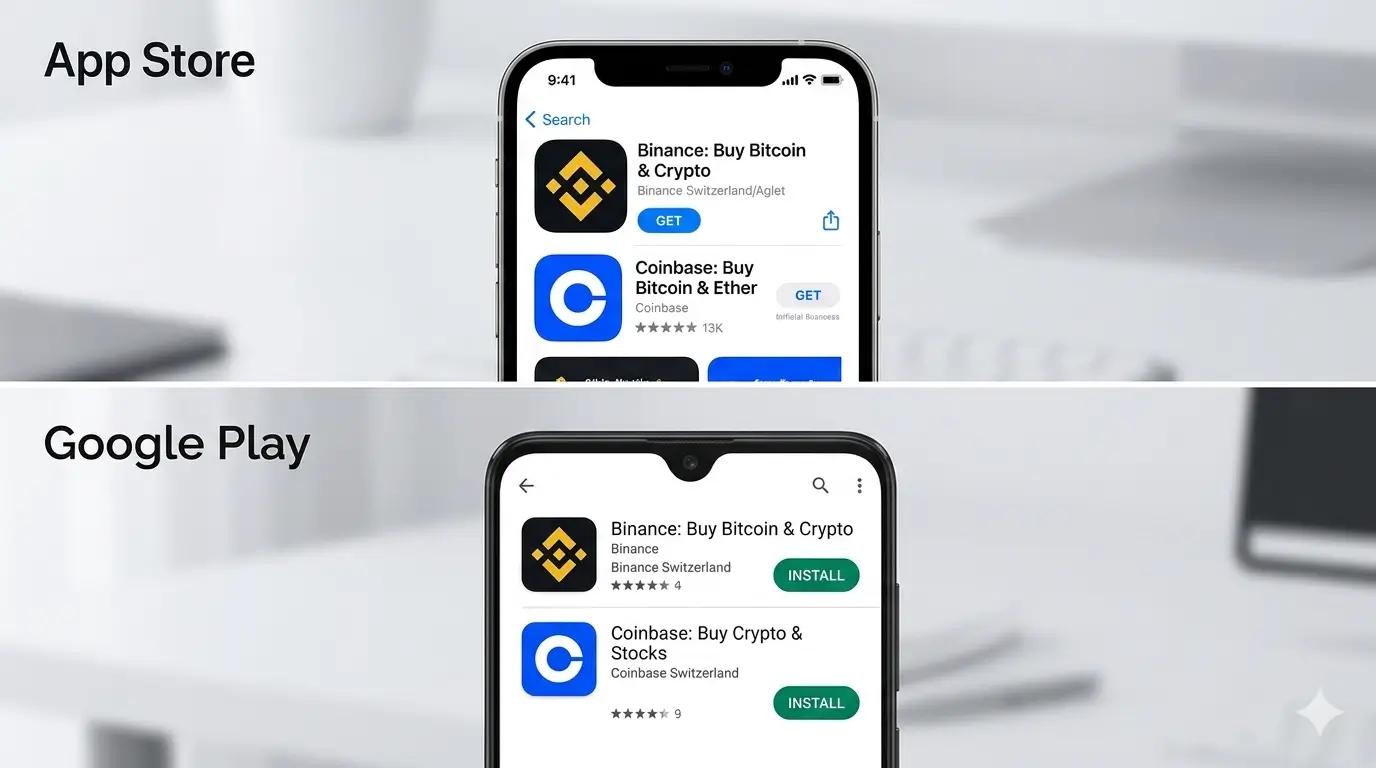
1️⃣ Get a Crypto App (Binance / Coinbase)
Download a trusted global exchange app on your mobile device to bridge your local currency to the Web3 world.
- Download Binance (Recommended for Global/Europe) or Coinbase (For USA).
- Register a free account and complete the quick 2-minute identity verification.
2️⃣ Buy USDT via Credit Card or Apple Pay
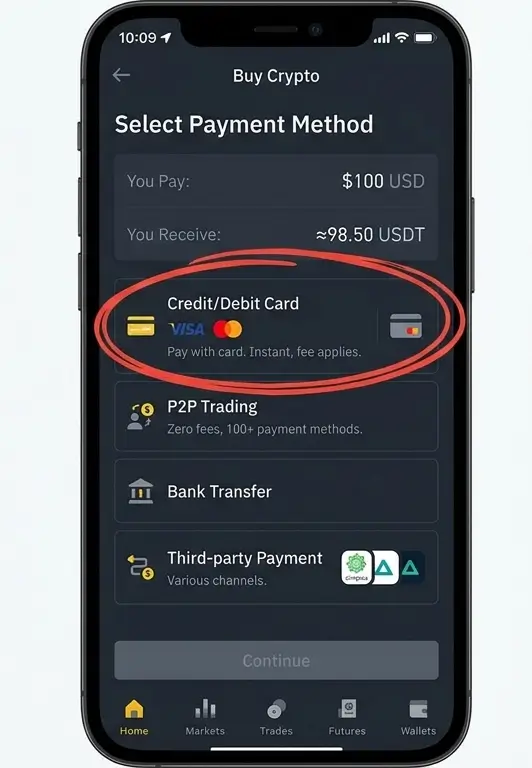
Inside your exchange app, you can legally buy digital currency instantly using your everyday fiat banking methods.
- Click the "Buy Crypto" button on the app homepage.
- Select USDT (Tether) as the cryptocurrency to purchase.
3️⃣ Choose the Right Network at Checkout
When placing your order on our site, select "Cryptocurrency" to pull up our secure automated payment gateway gateway.
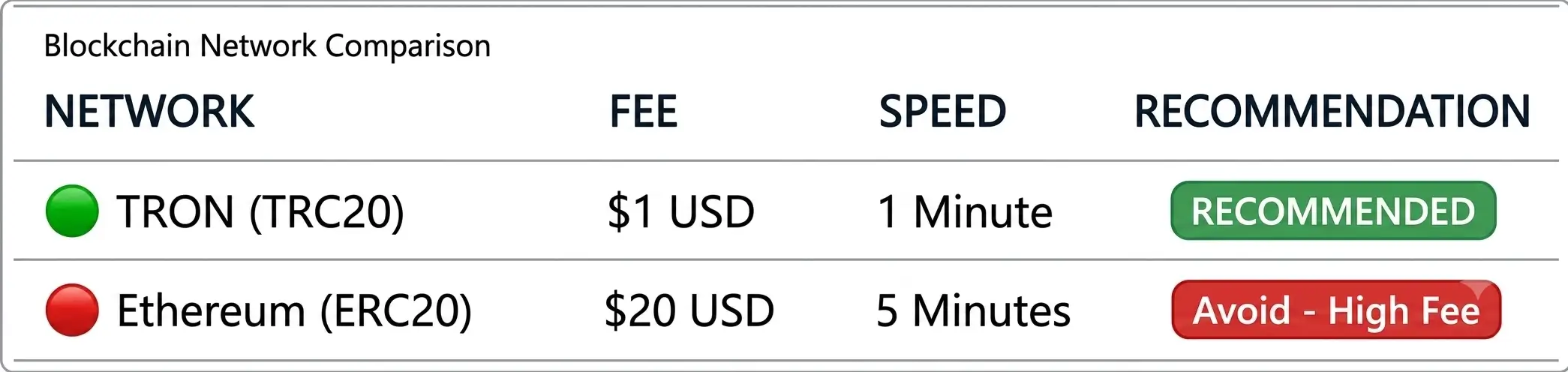
- We highly recommend choosing USDT-TRON (TRC20).
- Transfer fees on TRON cost only $1 USD, compared to Ethereum which can cost up to $20!
4️⃣ Scan the QR Code & Confirm Order
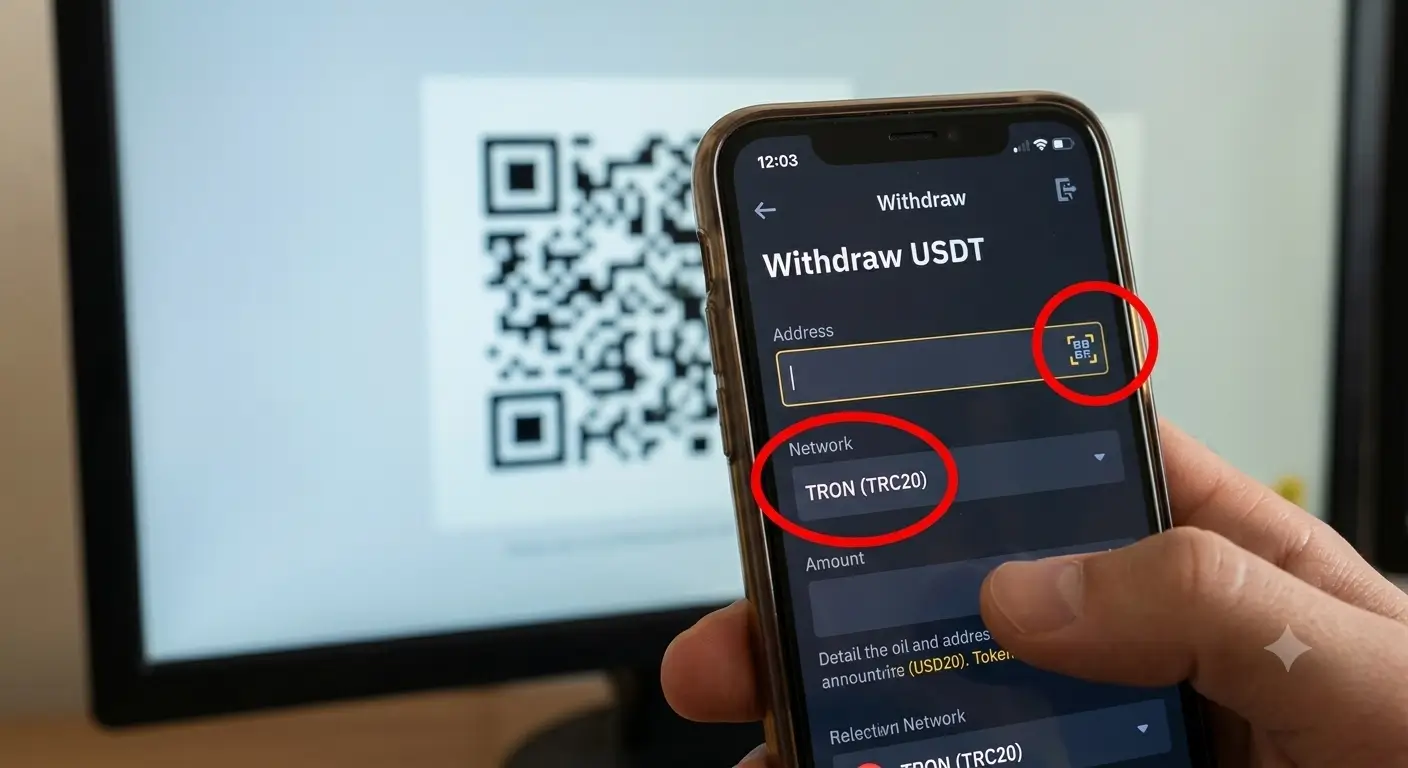
The checkout screen will output a temporary unique QR code and transaction wallet address.
- Open your exchange app, go to Wallet ➡️ Withdraw ➡️ USDT.
- Select "Send via Crypto Network", and scan the QR code on your checkout page.
- Hit send. Our automated Web3 system will detect the on-chain transfer within 60 seconds and instantly confirm your order via email.
| Blockchain Network | Network Fee | Speed | Recommendation |
|---|---|---|---|
| USDT - TRON (TRC20) | ~$1 - $2 USD | 1 Minute | 👑 Best Choice |
| USDT - BSC (BEP20) | ~$0.5 USD | 1 Minute | ⭐ Excellent |
| Bitcoin (BTC) | Variable | 15-30 Mins | Slow |
⚠️ Crucial Safety Check Before Clicking Send
❌ WRONG OPERATION
Sending ERC20 (Ethereum Network) funds to a TRC20 (TRON Network) destination address. Mixing networks will cause permanent loss of funds by the blockchain.
✅ CORRECT OPERATION
Always ensure that the network selected in your phone app (e.g., TRON/TRC20) matches the exact network displayed on our checkout screen perfectly.